
HealthAgentBridge
把 iPhone 上的「健康」数据,交给你自己的 AI 助手和脚本。
iOS 18+ · 桌面上显示为 HealthBridge
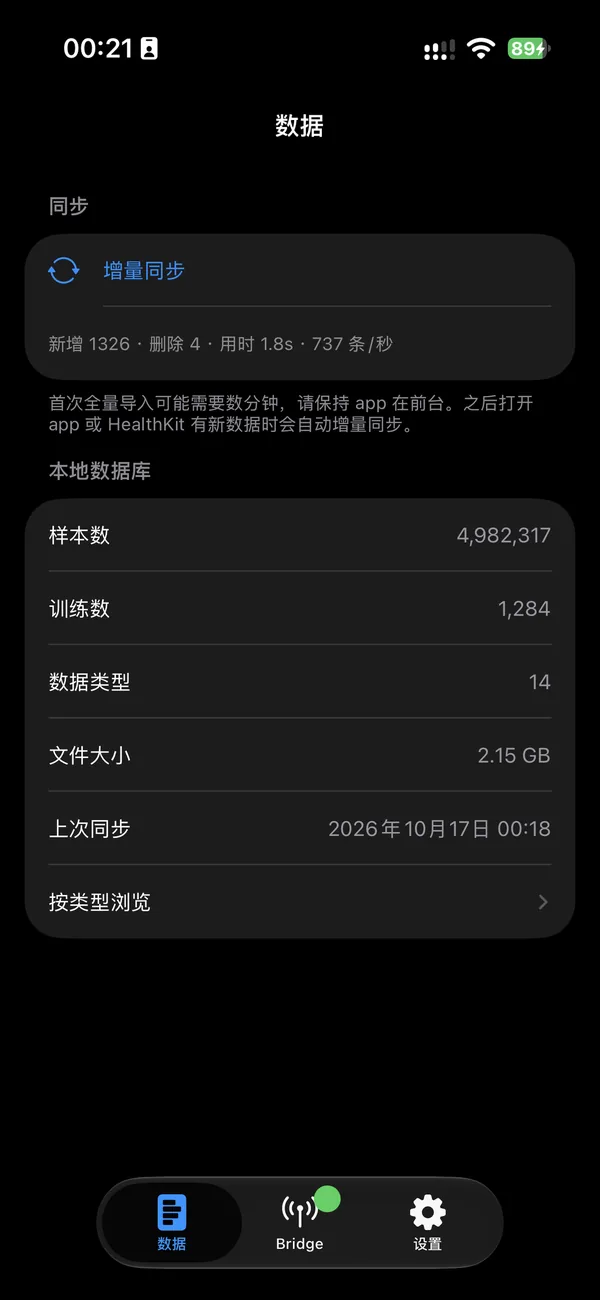
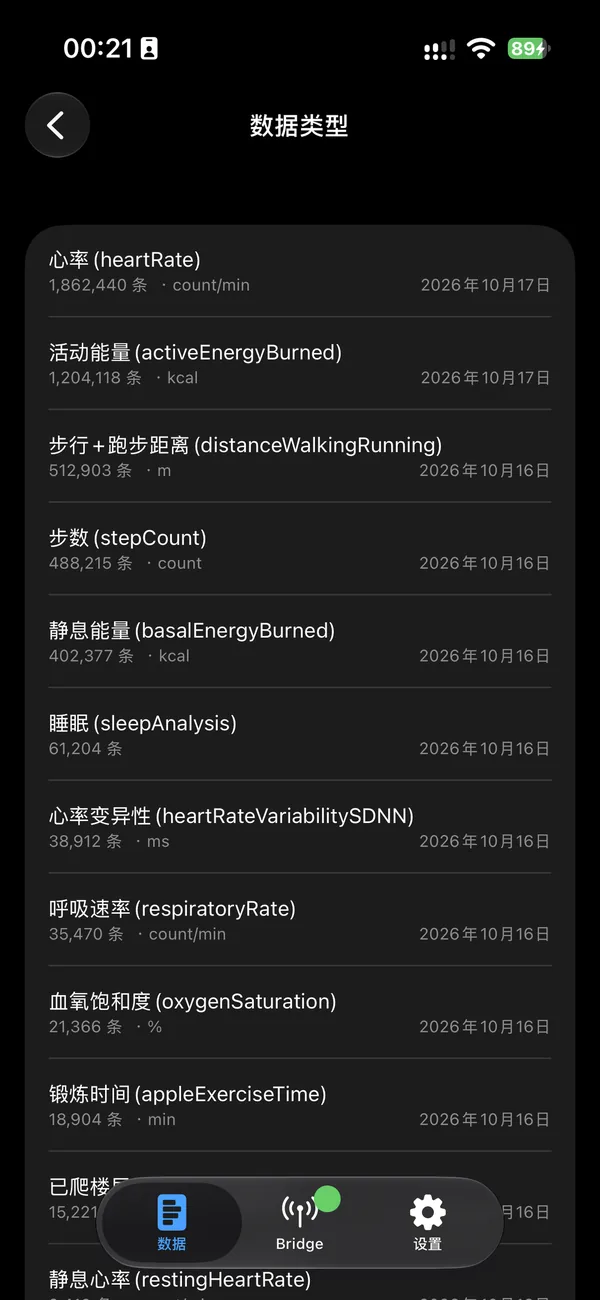
HealthAgentBridge 把 Apple「健康」数据整理到 iPhone 本机的数据库,并在你自己的局域网里提供只读查询接口。Mac 上的脚本、命令行工具或 AI 助手可以按需读取步数、睡眠、心率、体能训练等数据。数据不离开你的设备和网络。
数据只在本机
不上传任何服务器,没有账号、统计或广告。接口默认关闭,每个请求都要携带只有你知道的访问令牌。
与「健康」一致的统计
步数、距离、能量按 HealthKit 的来源优先级合并 iPhone 与 Apple Watch,不重复计算;睡眠按晚合并各阶段。
为 AI 助手设计
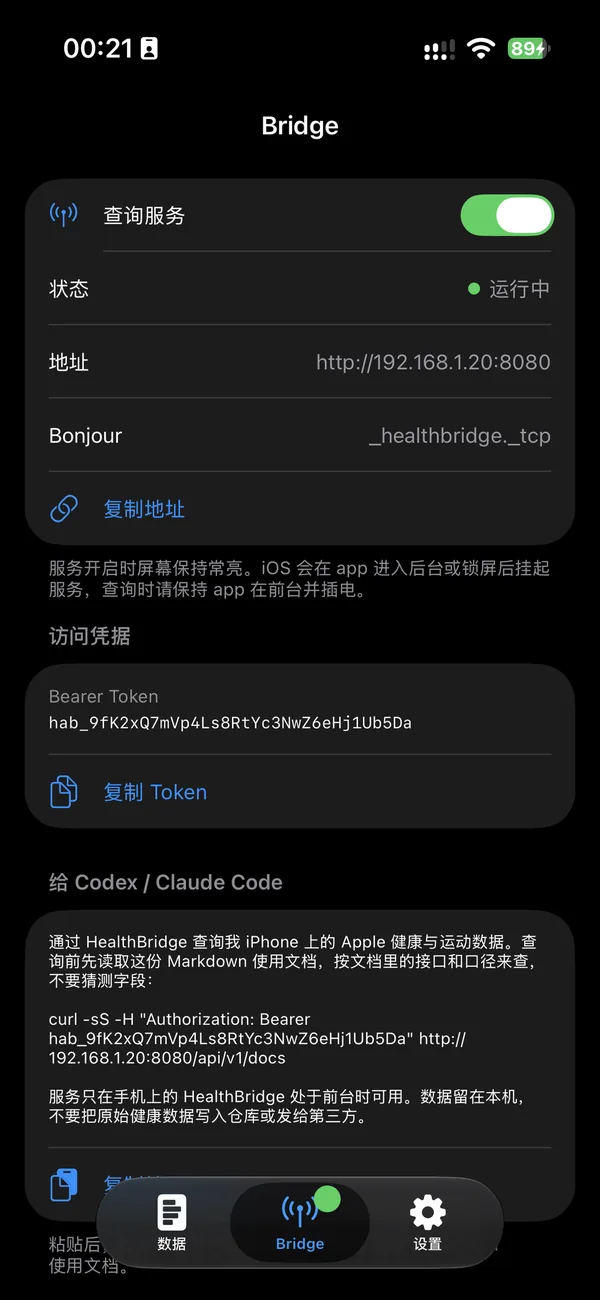
REST 接口和只读 SQL,附带可直接交给 AI 助手阅读的文档。一键复制令牌和提示词。
12 种语言
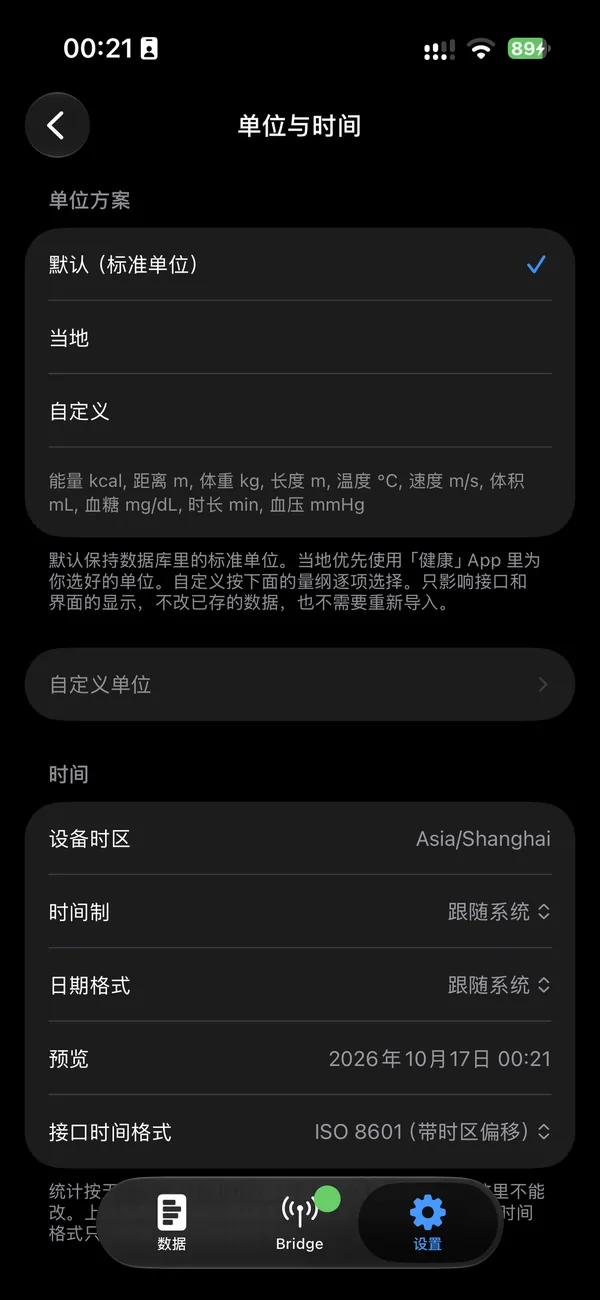
界面和接口文档支持 12 种语言;单位和时间格式可自定义,接口输出同步换算。
怎么用
- 安装后授权读取「健康」数据,app 会把数据同步到本机数据库。
- 在 Bridge 页开启查询服务,复制访问令牌或「给 Agent 的提示词」。
- 在同一局域网的 Mac 上,把提示词交给 AI 助手,或用脚本请求接口。
常见问题
为什么查询时要让 app 保持在前台?
iOS 会暂停后台 app 的网络服务。查询期间请让 HealthAgentBridge 停留在屏幕上,或开启引导式访问。
电脑连不上接口怎么办?
确认 iPhone 和电脑在同一个 Wi-Fi,且已在「设置 › 隐私与安全性 › 本地网络」中允许本 app;部分公司或酒店网络会隔离设备。
为什么有些类型显示「未读到数据」?
iOS 不会告诉 app 某个类型是否被拒绝授权。可在「健康」App › 共享 › App 与服务 › HealthBridge 中检查授权。
数据会进 iCloud 吗?
不会。本地数据库已排除在 iCloud 和设备备份之外,删除 app 即全部清除,随时可以从「健康」重新同步。
支持与反馈
遇到问题或有建议,请发邮件联系,通常会在几天内回复。邮件中附上 iOS 版本和 app 版本会更快定位问题。
隐私政策 · 本 app 不收集任何数据。
HealthAgentBridge
Hand your iPhone’s Health data to your own AI assistants and scripts.
iOS 18+ · Shown as HealthBridge on the Home Screen
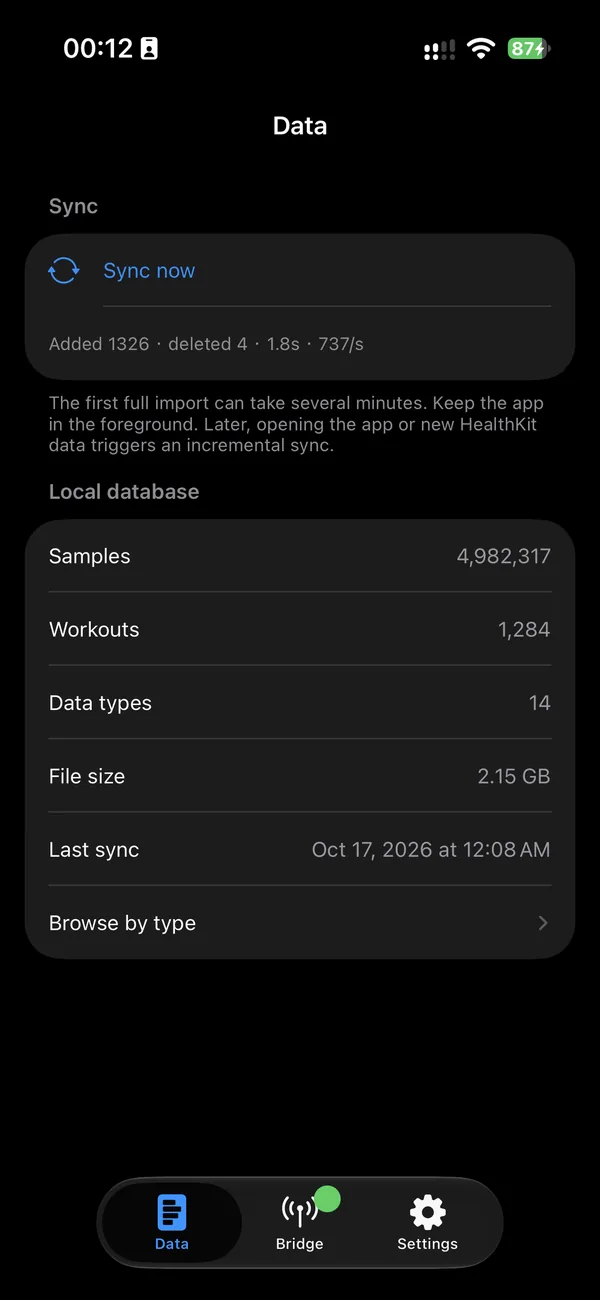
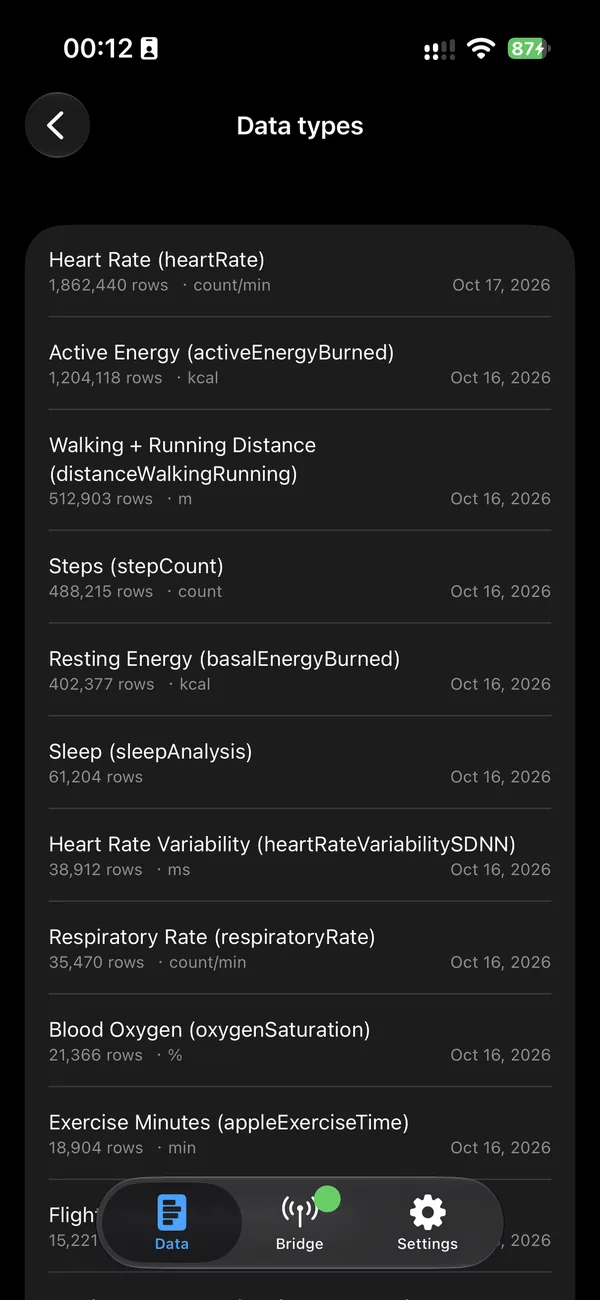
HealthAgentBridge keeps your Apple Health data in a database on your iPhone and serves it through a read-only API on your own local network. Scripts, command-line tools, or AI assistants on your Mac can read steps, sleep, heart rate, workouts, and more when you ask. Your data never leaves your devices and network.
Stays on your device
Nothing is uploaded. No account, analytics, or ads. The API is off by default, and every request needs an access token only you know.
Matches the Health app
Steps, distance, and energy merge iPhone and Apple Watch by HealthKit source priority without double counting. Sleep is merged per night with stages.
Built for AI assistants
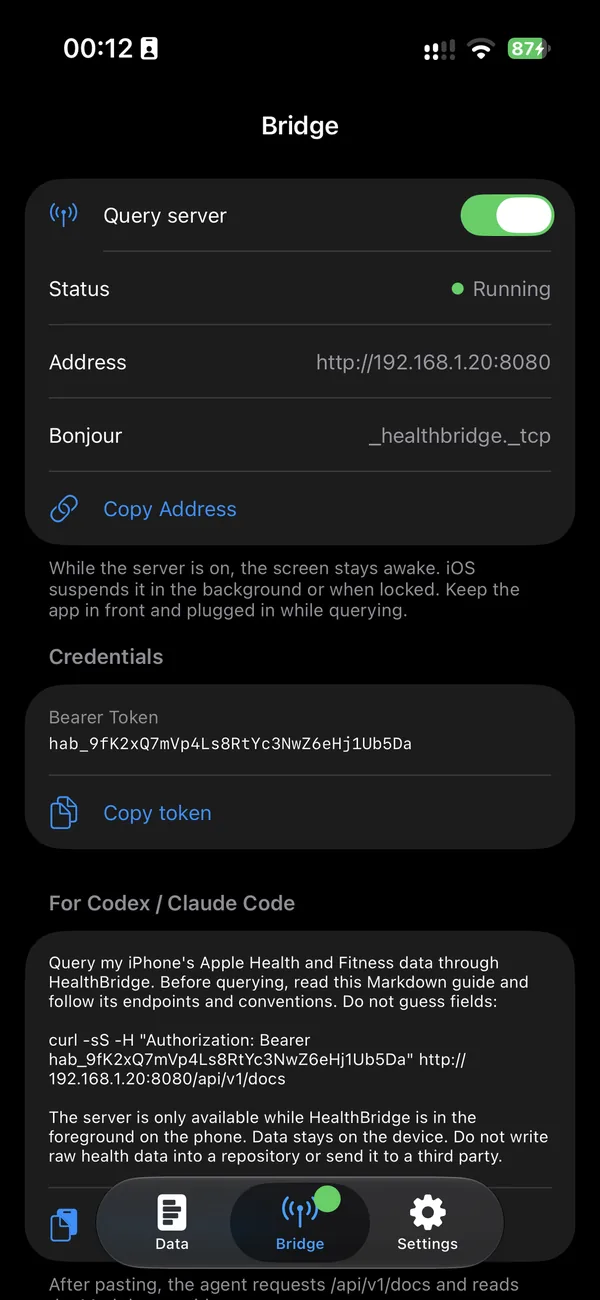
REST endpoints and read-only SQL, with documentation written for AI assistants. Copy the token or a ready-made prompt with one tap.
12 languages
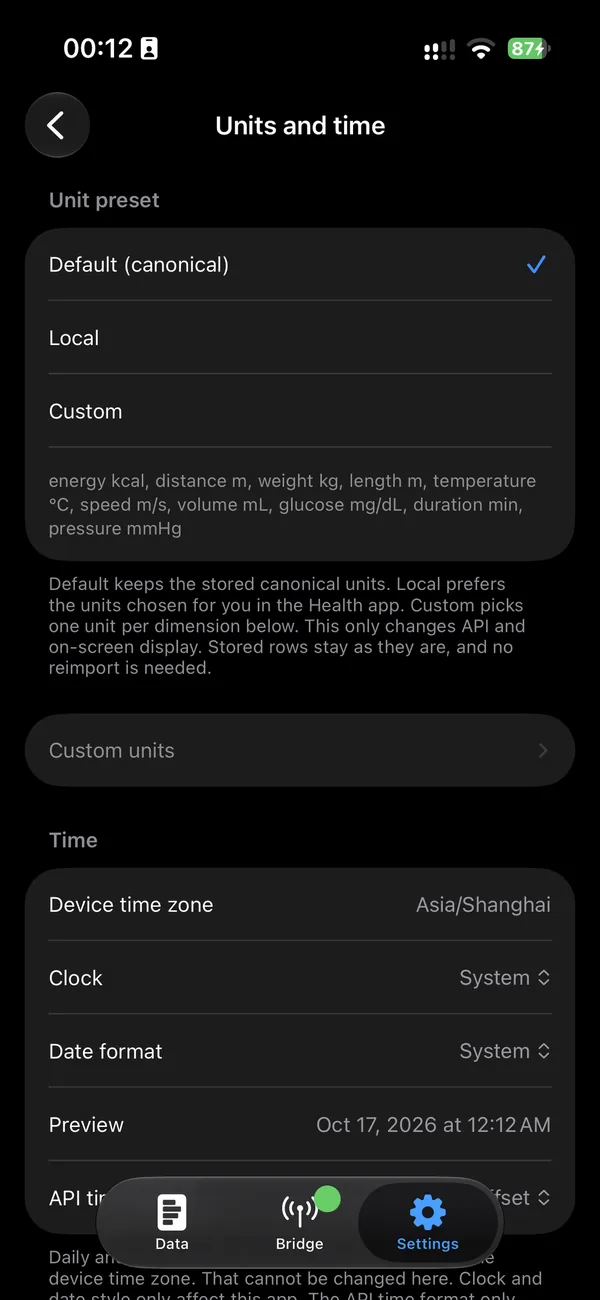
The app and API docs come in 12 languages. Units and time formats are configurable, and the API converts to match.
How it works
- Allow access to Health data. The app syncs it into a local database.
- Turn on the query server in the Bridge tab and copy the access token or the agent prompt.
- On a Mac on the same network, give the prompt to your AI assistant or call the API from a script.
FAQ
Why must the app stay in the foreground?
iOS suspends network services of background apps. Keep HealthAgentBridge on screen while querying, or use Guided Access.
My computer can’t reach the API.
Make sure both devices are on the same Wi-Fi and the app is allowed in Settings › Privacy & Security › Local Network. Some office or hotel networks isolate devices.
Why do some types show “No data read”?
iOS doesn’t tell apps whether a type was denied. Check access in Health › Sharing › Apps and Services › HealthBridge.
Does my data go to iCloud?
No. The local database is excluded from iCloud and device backups. Deleting the app removes everything, and you can resync from Health at any time.
Support & feedback
For problems or suggestions, send an email. Replies usually arrive within a few days. Including your iOS and app versions helps.
Privacy Policy · The app collects no data.